Pips Game
Click a domino to rotate, drag to place it, double-click to retrieve
How to Play
Master Pips Game by placing dominoes on the puzzle board. Each area must meet its rule to solve the challenge. Use visual feedback to track your progress and get answers when needed.
- Drag to place: Pull a domino from the tray and drop it onto any highlighted space on the board.
- Tap to rotate: Click a domino in the tray to rotate it; click anywhere else to snap it back flat.
-
Respect the area rules: Each colored region must satisfy its diamond label. Use the legend below to decode the icons you see on the board.
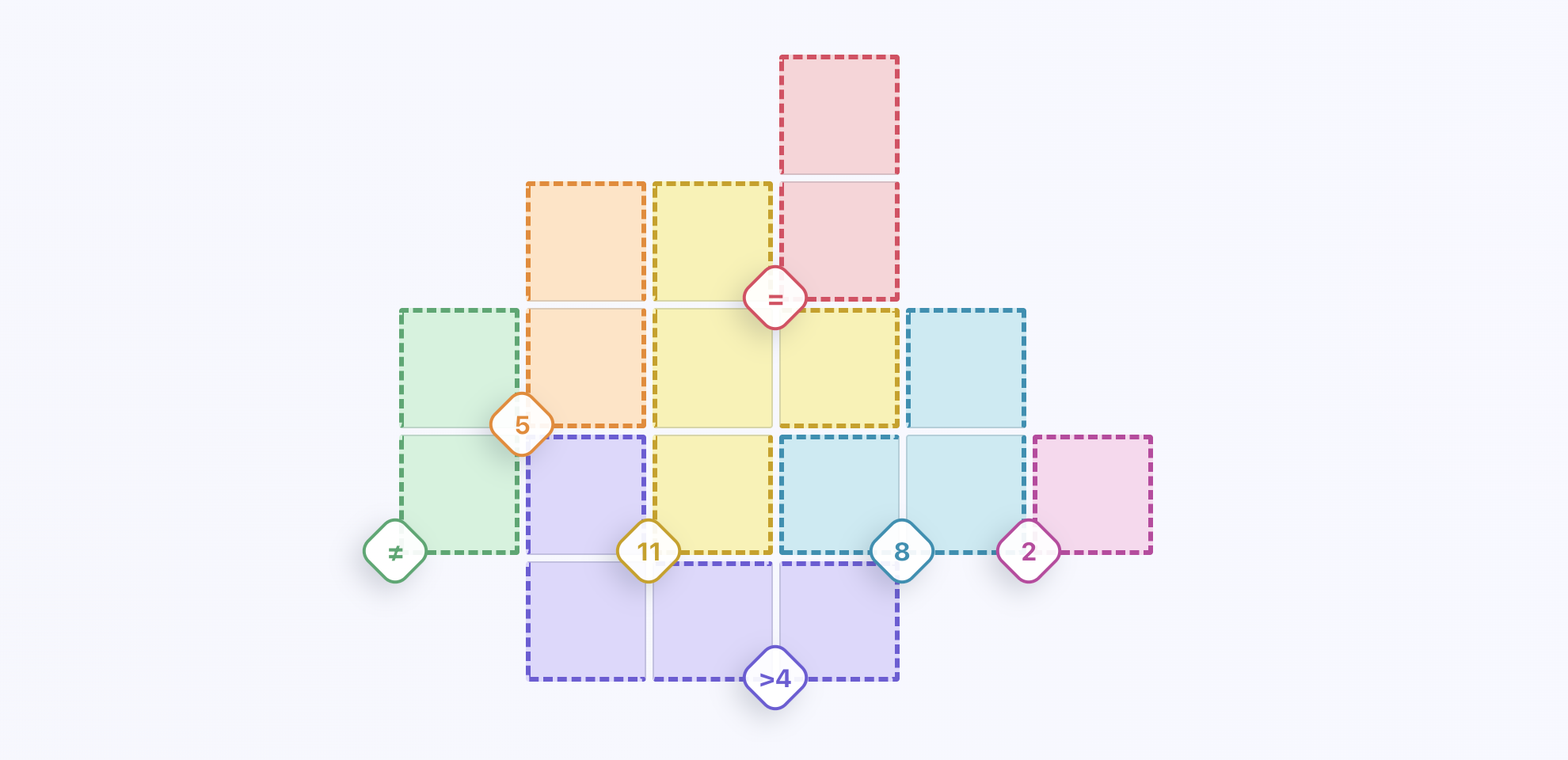 The total pips in the region must add up to the number shown.Pip totals must be greater than the number that appears with the icon.Pip totals must be less than the paired number.Every domino placed in the region must show the same value.All domino values in the region must be different.A solid diamond appears once a region already satisfies its rule.
 - Watch the visual feedback: When a region satisfies its condition, the area marking indicator fills solid to show your progress.
- Refine anytime: Click once to highlight a placed domino (and drag it); click again to send it back to the tray.

Frequently Asked Questions About Pips Game
What if a region doesn't have a diamond icon?
If a colored area doesn't display a diamond icon, that region has no placement restrictions. You can place dominoes freely without needing to check specific conditions or get visual feedback.
Can I change the difficulty level during a puzzle?
Yes! You can switch between Easy, Medium, and Hard difficulty at any time. Each level in Pips Game offers different complexities with varying area counts and rules to match your skill level.
What happens if I can't solve a puzzle?
Don't worry! Use the "Answer" button to reveal the solution with automatic area marking, or click "New" to generate a fresh puzzle. Every Pips Game puzzle has exactly one correct answer with smart visual feedback to guide your placements.